Financial Aid - Who is receiving and how much?
Last updated: October 5, 2026
This article is designed to help you find who is receiving financial aid and how much they are receiving.
We will look at this from:
The Member Profile
Reports
Viewing Financial Aid From Member Profile
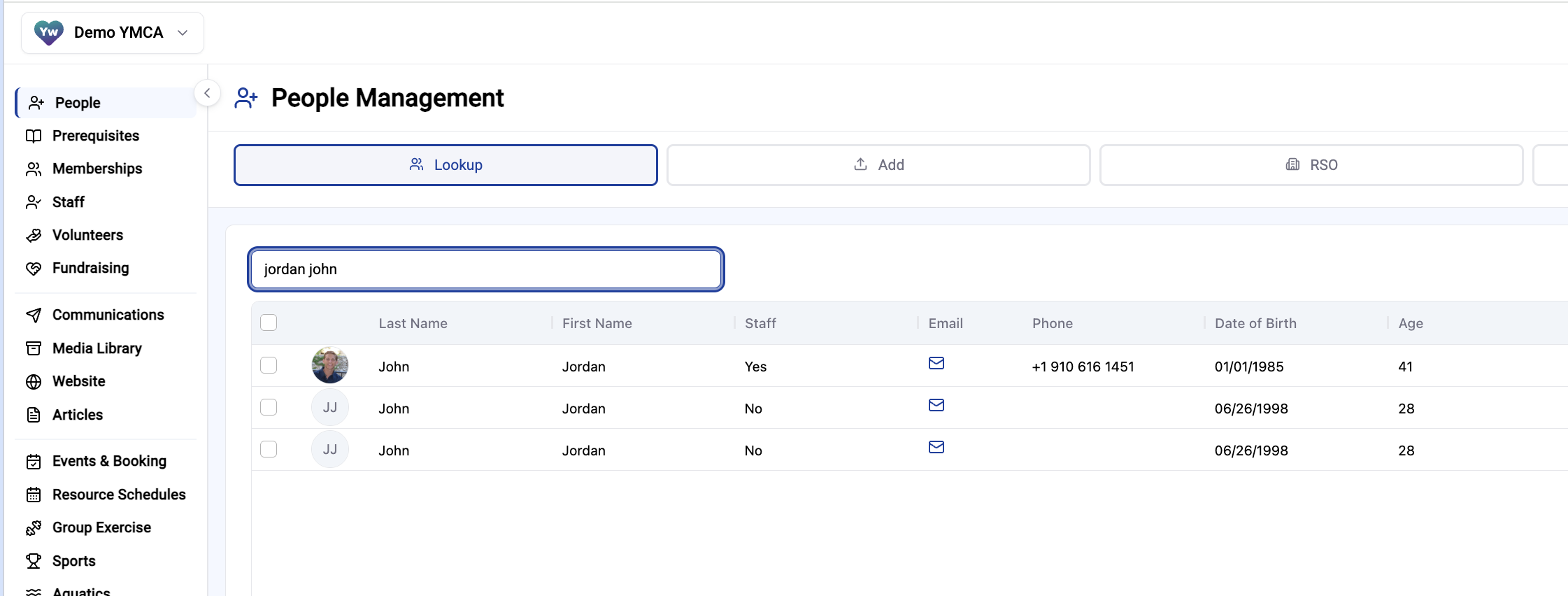
Click People > Search the Member > Click the Member
Navigate to the Financials Tab at the top of the profile and click Financial Aid
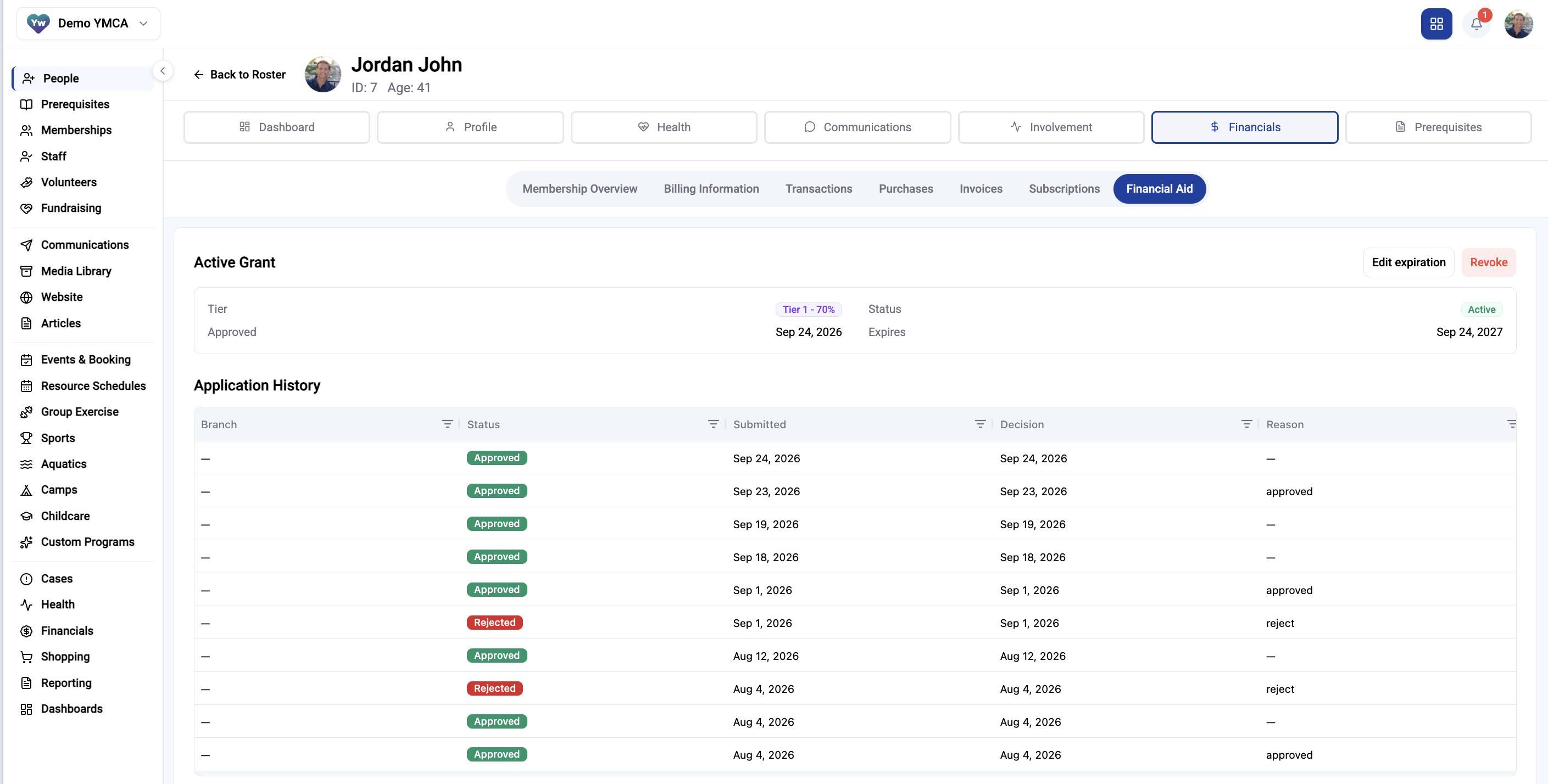
Here you can see all application history and what tier they are in to receive discounts on memberships and programs
Pulling a Financial Aid Report:
Click Financials > Revenue & Reporting at the top
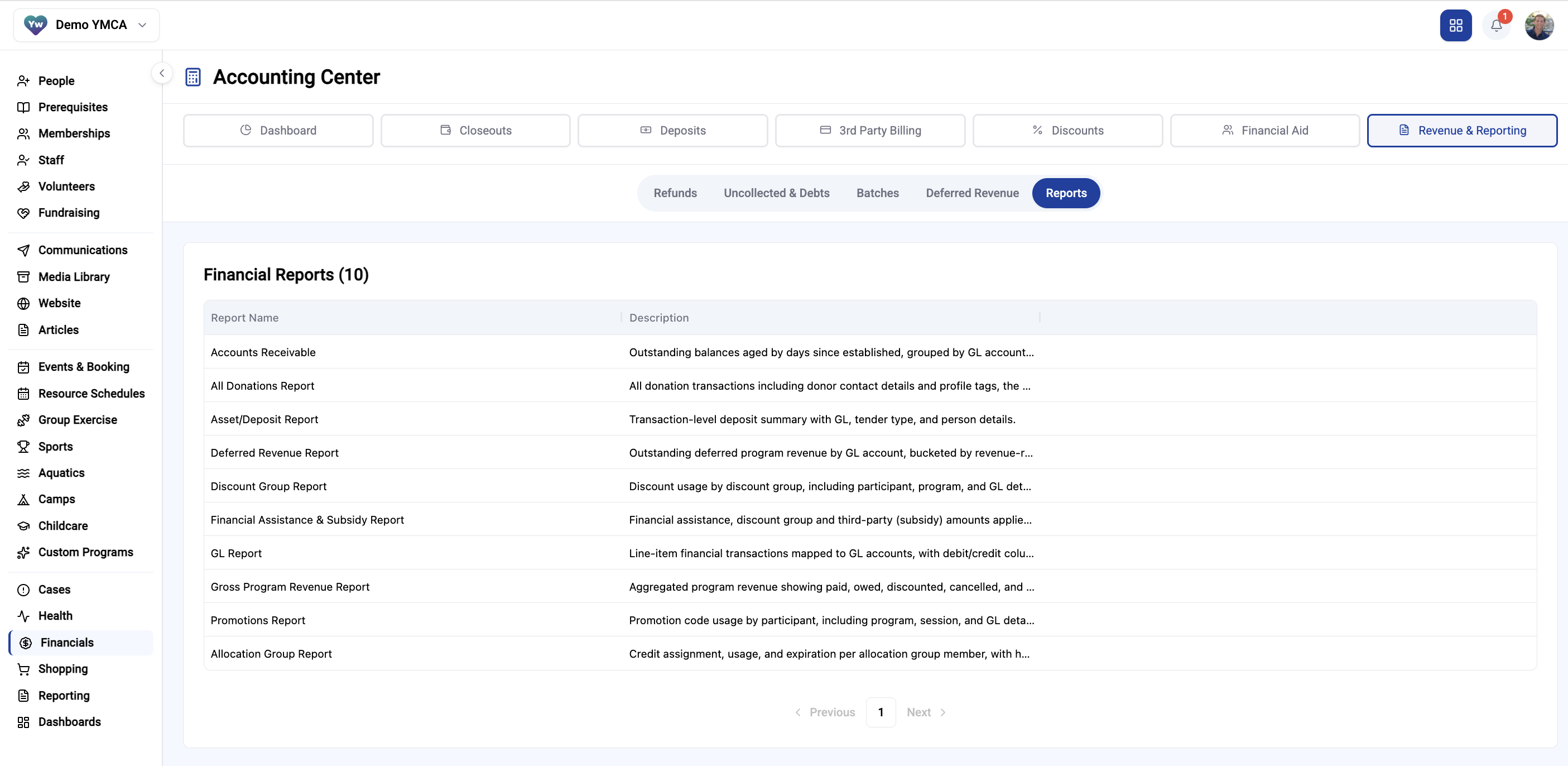
Click Financial Assistance & Subsidy Report
Click Run Report in upper right
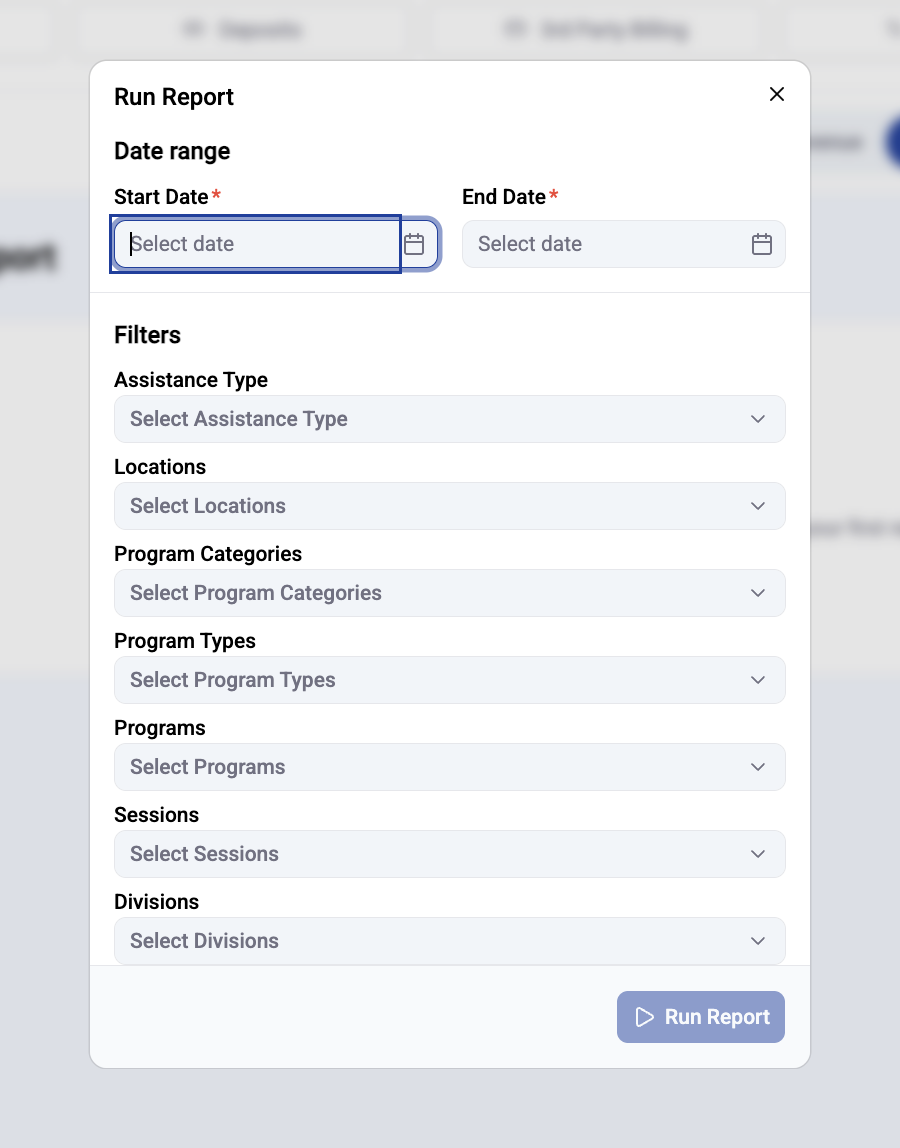
Select your filters for running the report